Guru3D.com
  • HOME
  • NEWS
    • Channels
    • Archive
    • Search
    • Submit
  • DOWNLOADS
    • New Downloads
    • Categories
    • Archive
    • Search
    • Submit
  • GAME REVIEWS
  • ARTICLES
    • Editorials
    • Guru3D VGA Charts
    • Rig of the Month
    • Join ROTM
    • PC Buyers Guide
    • Dated content
    • More Categories
  • HARDWARE REVIEWS
    • Videocards
    • Processors
    • Audio
    • Motherboards
    • Memory and Flash
    • SSD Storage
    • Chassis
    • Power Supply
    • Laptop and Mobile
    • Smartphone
    • Networking
    • Keyboard Mouse
    • Cooling
    • Knowledgebase
    • Search articles
    • More Categories
  • FORUMS
  • SEARCH
    • Search Articles
    • Search News
    • Search Files
  • NEWSLETTER
  • CONTACT

New Reviews
ASUS Maximus VI Extreme Z87 motherboard review
ASUS GeForce GTX 780 DirectCU II OC review
Fractal Design Arc Midi R2 review
Corsair Vengeance K70 review
MSI GeForce GTX 770 Lightning review
EVGA GeForce GTX 770 SC review
Plextor M5M 256GB mSATA SSD review
AMD A10 6800K review
SanDisk Extreme II 120 - 240 and 480 GB SSD review
ASUS Sabertooth Z87 motherboard review

New Downloads
Media Player Classic Home Cinema v1.6.8 Download
Sandra 2013 SP4 19.50 download
MSI Afterburner 3.0.0 Beta 10 Download
AMD Catalyst 13.6 BETA 2 Download
CPU-Z 1.6.4
AIDA64 Download version 3.00
AMD Catalyst 13.6 BETA Download
PrecisionX Download Version 4.2.0
GeForce 320.18 WHQL Driver Download
AMD Catalyst Application Profile Download 13.5 CAP1


New Forum Topics
by: Hilbert Hagedoorn EA says Frostbite 3 Optimization Not Exclusive to AMDby: blesner Tom Clancy's The Division For PCby: villa_youth Metro: Last Lightby: harkinsteven Xbox One at E3 all PC's?by: trodas HP PSC 1315 not scanningby: Bukkake Another look at HPET High Precision Event Timerby: Hilbert Hagedoorn MSI GeForce GTX 780 Gaming Edition Releasedby: BlackZero Downsampling with AMD: Guide and Demonstrationby: Hilbert Hagedoorn LG demos 55-inch curved OLED TVby: asder00 AMD Catalyst 13.x (13.150.0.0 May 23)


Online Users
There are currently 2493 user(s) online:
CoMa666, DiEgO, dmitrice, Google, Hardware Killer, MSN, Mufflore, Omagana, Texter, WhiteLightning, wyndrusher, Yahoo


Guru3D.com » Review » Jetway HI08 P67 motherboard review » Page 3

Jetway HI08 P67 motherboard review - Product Showcase

Posted by Hilbert Hagedoorn on: 05/12/2011 01:00 PM [ 0 comment(s) ]

Tweet


The Motherboard

Once you peek at the block diagram for Intel's chipset, you will notice that it is offering quite a set of features. But motherboard manufacturers like to distinguish themselves, especially with performance products, you like to have something unique, or offer a better feature set opposed to the competition.
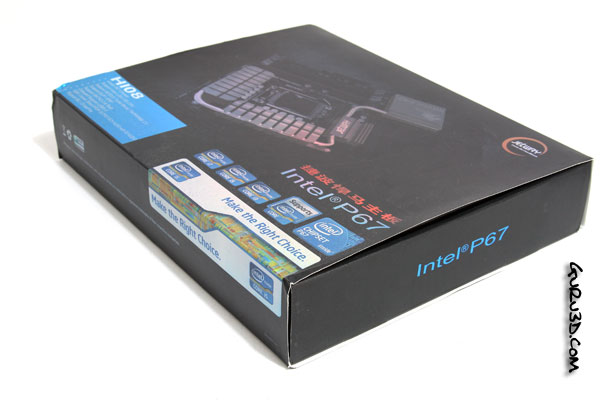
Jetway P67 HI08

The ODM takes the chipset, and then designs a completely new infrastructure surrounding and supplementing that P67 based motherboard. But let's have a look and walk through the features.
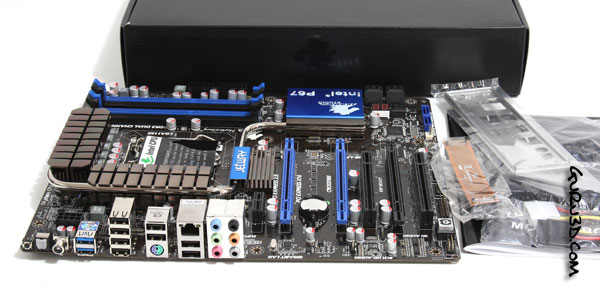
Jetway P67 HI08

Above the packaging, new design. ECS is going for simple. Inside it, a P67 motherboard. As you guys know Intel's Sandy Bridge processors come with a new CPU socket (LGA 1155), and thus new motherboard chipsets. On good thing though, older socket LGA1156 CPU cooler will fit fine, so you do not need to purchase new mounting systems for the cooler or anything.

 Included in the bundle is:

  • Motherboard
  • Driver CD
  • User manual
  • Quick installation guide
  • Four SATA cables
  • I/O shield
  • 2-way SLI connector

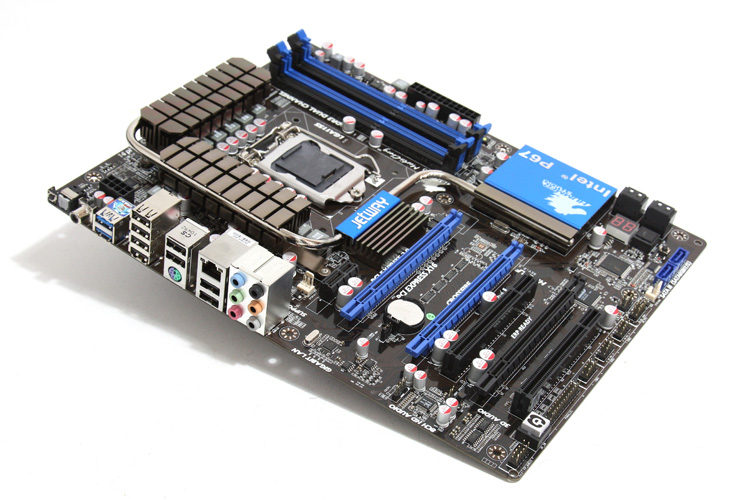
Jetway P67 HI08

Jetway’s HI-series (“Hummer Studio”) has continuously targeted the performance versus value market, the model shown today is making sure that graphics cards solutions work as there are a total of three PCI Express x16 slots (8:8:4), one PCI Express x1 slot, and two PCI slots on the motherboard

For those wondering if you like to go multi-GPU with two cards, this is possible at a 8:8:4 PCIe lane configuration, that is enough for modern high end graphics cards but you want to stick at 2-way multi-GPU mode there. A single card will kick into x16 if you do not occupy any other PCIe slot.

Preferably we would have liked to see Jetway place the x4 slot in the middle, but the black x16 slot is the mechanical x4 one. Why prefer it in the middle you ask ? Well, for Crossfire or SLI mode you want as much airflow as possible in-between the two cards. They now have to be placed much closer together, and that is worse for GPU heat vs ventilation.


21 pages « 2 3 4 5 next »


Related Articles
Jetway HI08 P67 motherboard review
Amongst a long line of reviews on motherboards based on this chipset we have checked out premium brands mostly. There's always more in the market, Jetway for example ... a company making a lot of OEM products for other businesses, but they do have their own retail production line. Though hard to find in the stores these product promise good quality, features and often an excellent price, yep allow me to repeat that -- always an excellent price.

Jetway Hummer HA08 LF motherboard review
Today the turn goes to the folks from Jetway. A company that you do not hear often from. They are rather sizable in OEM production and deliver a lot of material towards other motherboard and graphics card 'manufacturers'. But they handle retail products as well though. Their somewhat more exclusive motherboard series is tagged as 'Hummer' series. Which always brings a smile to my face as I immediately have to think about that big ass military car. Today we look at the Jetway Hummer HA08-LF motherboard. Armed with a lot of features, performance and an AMD 790GX chipset. There fairly little to dislike really.

Follow Guru3D on Google+ - Facebook - YouTube - Twitter © 2013