Page 3
The generic idea in an ideal situation the memory should be clocked as fast as your FSB/HTT to gain optimal bandwidth. Unfortunately it's very tough and expensive to have memory clocked at that speed, the technology isn't quite there yet. Today's tested memory is high-end, yet we are restricted at 667 MHz where the AM2 platform we use actually defaults at 800 MHz. So we have to switch back to 677. No worries though as we'll overclock this memory towards 800 MHz also.
When you recently bought a PC, or for that matter are buying a new system you'll notice that most PC's make use of DDR400 (PC3200) memory. It's the most commonly used type as this memory matches your PC's CPU bus speed. That CPU bus speed, also known as "front-side bus speed" (or FSB), is the speed at which the CPU communicates with RAM memory and the motherboard chipset. Athlon XPs have a 266, 333 or 400 MHz FSB, Pentium 4s have a 400MHz, 533MHz or 800MHz and 1066 MHz FSB, AMD Durons have a 200MHz FSB and socket 478 Celerons have a 400MHz FSB and so on and so on and on ..
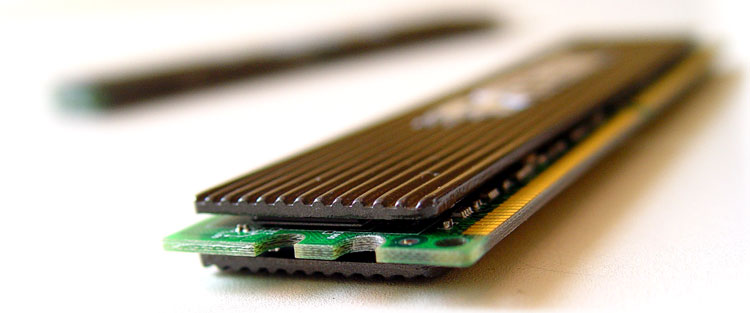
 You know you can actually count hte PCB layers.
When choosing a FSB speed for the CPU you choose, be aware that you'll need to purchase memory capable of this faster speed. For example, many people are enticed by the remarkably low priced memory, yet you need to sync your memory to your CPU's FSB. First of all, all mainboard these days use either DDR or DDR2 memory, the mainboard we used needs DDR2 memory. In our case we know that the CPU we have uses can manage a 667 & 800 MHz memory bus so we're gonna need DDR2 memory rated PC5300 (5300/8=667 Mhz) at the bare minimum in my opinion.
The memory we'll use today is equipped on AM2 based platform with the nForce 590 chipset. Fortunately for us the processor is unlocked and we can can de-/increase the, there is the magic word again, FSB.
Secondly I must add this, always make sure you buy two similar DIMMs so that you can have a dual-channel memory configuration, which effectively double's the memory bandwidth and CPU's love memory bandwidth for sure.
Third factor you should take into account (if you are going to overclock) is to get buy a mainboard that can increase the voltage level of your memory significantly, also it should offer you scalability not only in on that FSB, but also offers you a choice in multipliers & dividers. Our choice in platform would be nForce 590 here. Not a cheap solution, but definitely one of the most tweakable platform available to date.
The Patriot PC2-5300LLK memory
Patriot Extreme Performance PC2-5600 memory is designed to operate at the a frequency of 667MHz while running a low timing of 4-4-4-12 (tCAS-tRCD-tRP-tRAS).
This is quite targeted at Intel based chipsets, it allows it's operations at lower latency while maintaining stability and thus offer rather good performance.
What's important that if you buy the kit then at the end of the production line the kit is merged together so you know that the memory = 100% from the same build batch. The DIMMs are covered up by heat spreaders and what's very notable is the fact that the memory is backed by a time warranty.
Judging from the specifications, Patriot modules seem to like more voltage, when you start to overclock you'll need to raise that voltage at BIOS level. If you want to run it at nominal speed it already is recommended to set your DDR voltage at 1.8 or 1.9 volts, we usually fire off 2.1 volts at DDR2 memory when we start to overclock & tweak.
First, we will set the memory at it's normal 667 MHz operation, then 800 & will look if it can go higher in MHz with the help of the BIOS memory dividers and frequency.
Specifications:
- PC2-5300 Operating at 667MHz
- Low Timings 4-4-4-12
- 1.8V
- Offered in both Single Modules and Dual Channel Paired Kits
- Available in various capacities up to 1GB paired kits
- 100% Hand Tested
- Premium Aluminum Heat Spreaders with our own Bladed Technology
- Life Time Warranty
- 100% Hand Tested