Test Environment & equipment
Test Environment & Equipment
Here is where we begin the benchmark portion of this article, but first let me show you our test system plus the software we used.
Mainboard
MSI Big Bang XPower X58
Processor
Core i7 965 Extreme @ 3750 MHz
Graphics Card
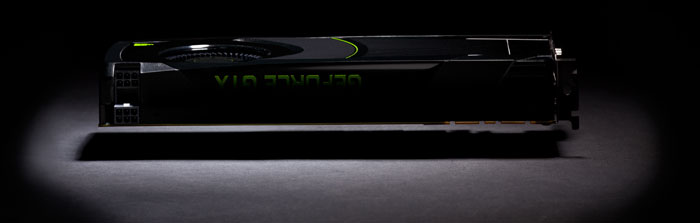
GeForce GTX 680 (NVIDIA reference)
Memory
6144 MB (3x 2048 MB) DDR3 Corsair @ 1500 MHz
Power Supply Unit
1200 Watt
Monitor
Dell 3007WFP - up to 2560x1600
OS related software
Windows 7 64-bit SP1
DirectX 9/10/11 End User Runtime (latest available)
AMD Catalyst (12.1/12.2)
NVIDIA GeForce series latest WHQL 300.99
Software benchmark suite
- Battlefield 3
- Battlefield Bad Company 2
- Far Cry 2
- Call of Duty: Modern Warfare 2
- Crysis 2
- Anno 1404
- Anno 2070
- 3DMark Vantage
- 3DMark 11
- Metro 2033
- Alien vs Predator
- Lost Planet 2
- Hard Reset
A word about "FPS"
What are we looking for in gaming, performance wise? First off, obviously Guru3D tends to think that all games should be played at the best image quality (IQ) possible. There's a dilemma though, IQ often interferes with the performance of a graphics card. We measure this in FPS, the number of frames a graphics card can render per second, the higher it is the more fluently your game will display itself.
A game's frames per second (FPS) is a measured average of a series of tests. That test is often a time demo, a recorded part of the game which is a 1:1 representation of the actual game and its gameplay experience. After forcing the same image quality settings; this time-demo is then used for all graphics cards so that the actual measuring is as objective as can be.
|
Frames per second |
Gameplay |
|
<30 FPS |
very limited gameplay |
|
30-40 FPS |
average yet very playable |
|
40-60 FPS |
good gameplay |
|
>60 FPS |
best possible gameplay |
- So if a graphics card barely manages less than 30 FPS, then the game is not very playable, we want to avoid that at all cost.
- With 30 FPS up-to roughly 40 FPS you'll be very able to play the game with perhaps a tiny stutter at certain graphically intensive parts. Overall a very enjoyable experience. Match the best possible resolution to this result and you'll have the best possible rendering quality versus resolution, hey you want both of them to be as high as possible.
- When a graphics card is doing 60 FPS on average or higher then you can rest assured that the game will likely play extremely smoothly at every point in the game, turn on every possible in-game IQ setting.
- Over 100 FPS? You either have a MONSTER graphics card or a very old game.
Monitor Setup
Before playing games, setting up your monitor's contrast & brightness levels is a very important thing to do. I realized recently that a lot of you guys have set up your monitor improperly. How do we know this? Because we receive a couple of emails every now and then telling us that a reader can't distinguish between the benchmark charts (colors) in our reviews. We realized, if that happens, your monitor is not properly set up.

This simple test pattern is evenly spaced from 0 to 255 brightness levels, with no profile embedded. If your monitor is correctly set up, you should be able to distinguish each step, and each step should be visually distinct from its neighbors by the same amount. Also, the dark-end step differences should be about the same as the light-end step differences. Finally, the first step should be completely black.