Product Showcase
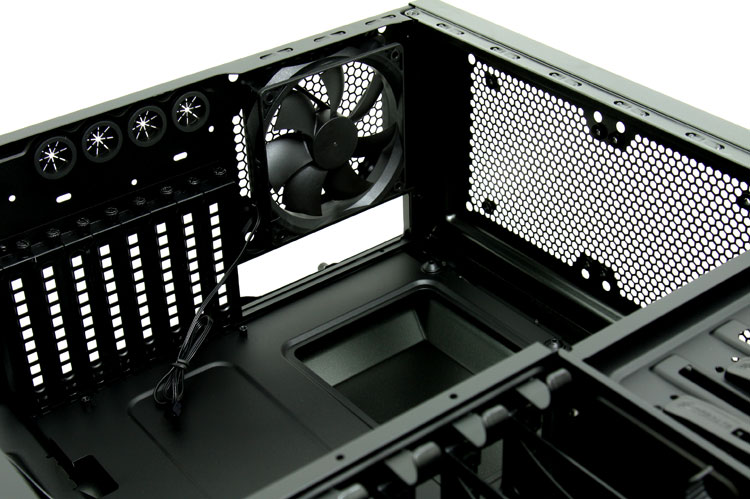
To the right you can see that you'll get 8 PCI slots to play around with so in theory you can house up-to three graphics cards in here, four if you are lucky. Theres room for eight PCI-E cards of up to 316mm in length.
You secure the graphics cards or other cards with a thumbscrew. Above it, four round holes with rubber inlays. These could be used for LCS tubing, but are intended to route the front panel USB 3.0 connector cables towards the rear IO (where USB 3.0 connectors could be located).
At the top side we can see one 120mm fan, is id included and installed for you already. In the upper mesh you'll notice that mounting holes for other fan and radiator solutions have already been prepped.
A good and popular trend these days is to make a big gaping hole in the motherboard tray. This actually is a CPU backplate cutout which allows you to remove and install a new CPU cooler much easier.
Typically you'd need to take out the motherboard to install a new cooler, now you can access it from both sides without that unpleasant experience of removing a motherboard from the chassis.
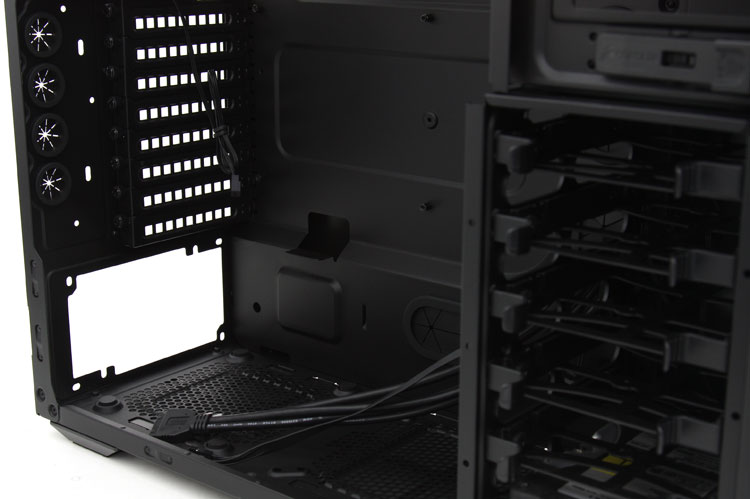
And there sure is always a lot of wiring to manage alright. These are all cables for the front-panel connectors, USB 3.0, FireWire and audio.
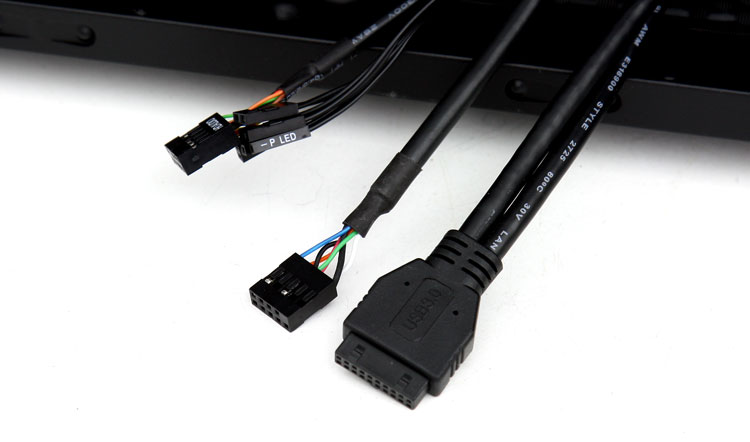
There is heaps of space on the backside to route all that cabling through though. We'll show you that in a tidbit. BTW it's good to see Corsair move to the internal USB 3.0 motherboard connector. Alternatively you can use a small cable extension and lead the cables towards the Rear IO USB 3.0 if that is your only option.
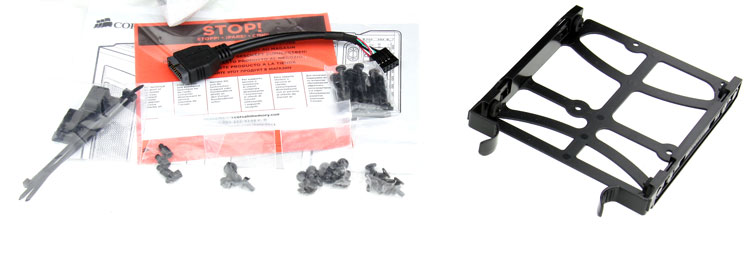
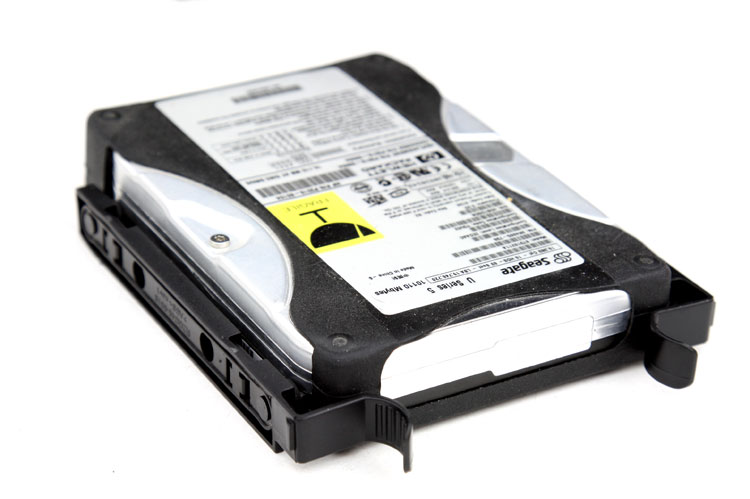
Mounting a HDD could not be easier, the drive bay bracket has been updated from the previous models. It has rubber inserts to prevent resonating noises from the HDD, lock them in and slide the unit into the drive bay until you hear a click.
