Product Showcase
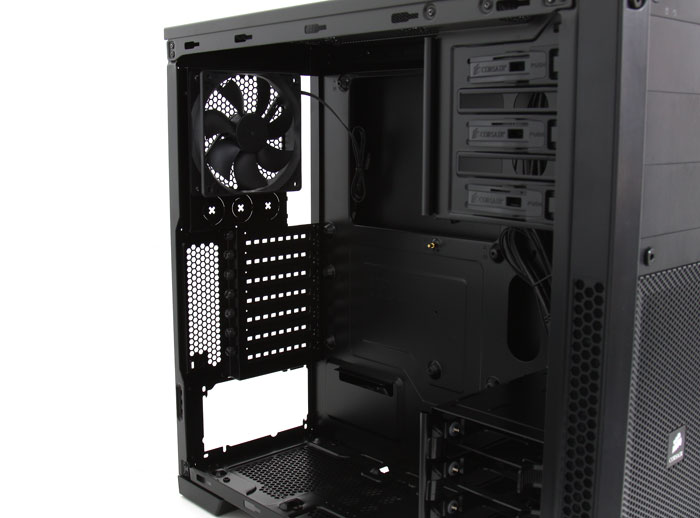
To the right you can see that you'll get 7 PCI slots to play around with so in theory you can house up-to three graphics cards in here,. But theres room for seven PCI-E cards. The first two (dual-slot) graphics cards can even be up to 450mm in length.
You secure the graphics cards or other cards with a thumbscrew. At the top side we can see one 120mm fan, it is included and installed for you already. In the topside upper mesh you'll notice that mounting holes for other fan and radiator solutions, and it's already been prepped for a 120mm or 140mm configuration.
There is very decent space on the backside to route all cabling through. We'll show you that in a bit. BTW Corsair moved to the internal USB 3.0 motherboard connector. Alternatively you can use a small cable extension and lead the cables towards the Rear IO USB 3.0 if that is your only option.
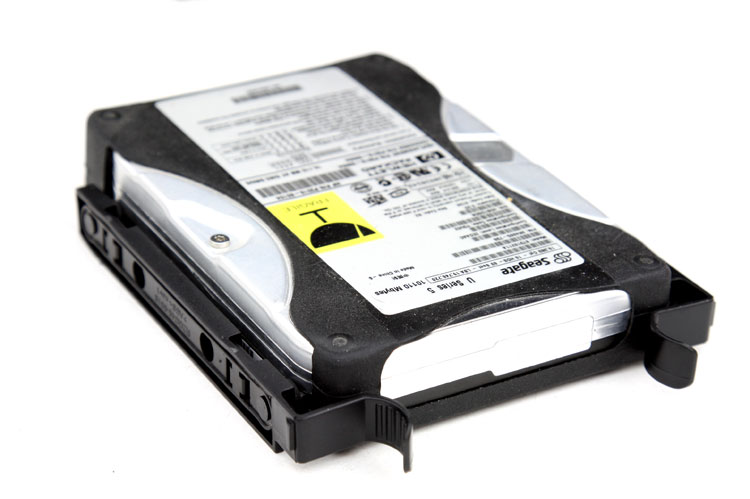
Mounting a HDD could not be easier, the drive bay bracket has been updated from the previous models. It has rubber inserts to prevent resonating noises from the HDD. Lock them in and slide the unit into the drive bay until you hear a click.
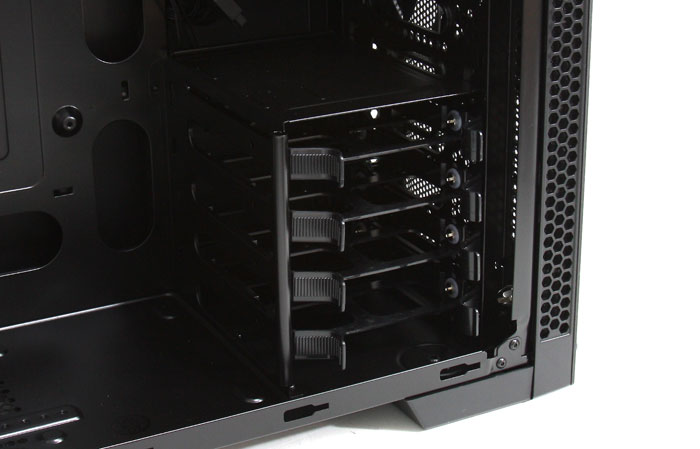
These brackets can also hold a 2.5" SSD, then on the bottom side you need to secure it with four mounting screws.
It's a very simply solution really, but there's nothing wrong with simple as long as it's functional and effective. And it certainly works just fine. You can house a four 3.5/2.5 drives. Located at the front of the HDD bay you'll spot one front-mounted 140mm fan.
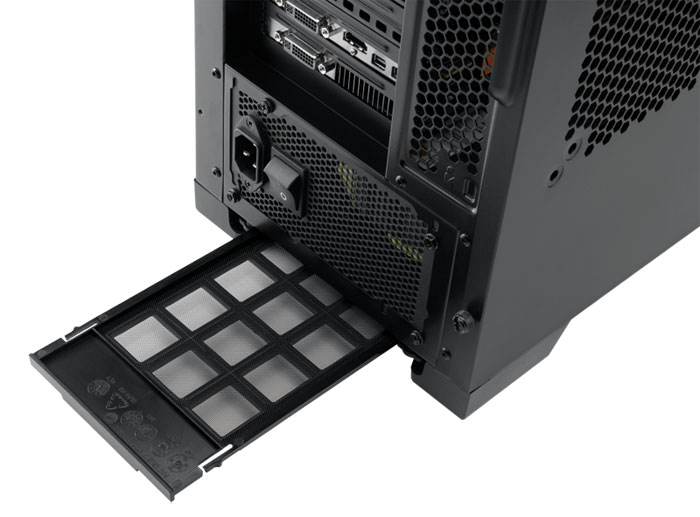
At the bottom side we can see the mounting area for the PSU, underneath it a ventilation mesh, which has dust protection with the help of a simple filter. You'll be able to install several sizes of PSUs. So, should you feel a need to install a 1200W (longer) PSU at one point in time, then that will be possible as there is plenty of space for it.
The PSU ventilation mesh and dust filter is removable and thus easy to clean out. And zooming in at the bottom here a little, we see that the chassis rests on rubber mounts, this prevents resonating noises coming from the PC, and makes your chassis more silent.
