Guru3D.com
  • HOME
  • NEWS
    • Channels
    • Archive
    • Search
    • Submit
  • DOWNLOADS
    • New Downloads
    • Categories
    • Archive
    • Search
    • Submit
  • GAME REVIEWS
  • ARTICLES
    • Editorials
    • Guru3D VGA Charts
    • Rig of the Month
    • Join ROTM
    • PC Buyers Guide
    • Dated content
    • More Categories
  • HARDWARE REVIEWS
    • Videocards
    • Processors
    • Audio
    • Motherboards
    • Memory and Flash
    • SSD Storage
    • Chassis
    • Power Supply
    • Laptop and Mobile
    • Smartphone
    • Networking
    • Keyboard Mouse
    • Cooling
    • Knowledgebase
    • Search articles
    • More Categories
  • FORUMS
  • SEARCH
    • Search Articles
    • Search News
    • Search Files
  • NEWSLETTER
  • CONTACT

New Reviews
Gigabyte GeForce GTX 650 Ti Boost OC WindForce 2X review
MSI Radeon HD 7790 TurboDuo OC review
Metro Last Light VGA Graphics Benchmark performance test
Noctua NH-U12S and NH-U14S review
ASUS GeForce GTX 670 DirectCU Mini review
OCZ Vertex 3.20 SSD review
Gigabyte Radeon HD 7790 2GB OC review
Cooler Master Eisberg 240L Prestige review
Guru3D and OCZ Contest - PC Power 1200W PSU Giveaway
MSI GeForce GTX 650 Ti BOOST OC review

New Downloads
PhysX System Software 9.13.0325 Download
GPU-Z Download 0.7.1
HWiNFO32 4.18 Download
HWiNFO64 4.18 Download
GeForce 320.14 BETA Driver Download
Nvidia Lifelike Human Face Rendering Tech Demo Download
3DMark Download v1.1.0
XBMC Media Center Download 12.0 2
RTSS Rivatuner Statistics Server Download v5.1.1
AS SSD Benchmark Download v1.7.4739.38088


New Forum Topics
by: NiukNiuk Guild Wars 2 Design Manifestoby: BABA-The Hacker AMD Radeon HD 9970 Leaked detailsby: captain_trips 700 series might be coming out next month, as well as Titan Ultraby: airbud7 Killer tornados, Do you get them where you live?by: WhiteLightning Gran Turismo 6 listed for November 28 release dateby: Final8ty The Quest For Dark Souls On PCby: hallryu The Guru3D Screenshot Thread - RTFM! #22 (Rules update!)by: Hilbert Hagedoorn AMD looses 2nd place processor market, now 4thby: ricardonuno1980 Metro LL: no motion blur disabled!??by: Crowbar Skyrim graphics mod question...


Online Users
There are currently 2949 user(s) online:
BenchAndGames, BLEH!, GhostXL, Google, gunman127, JLT, Krteq, Lane, Live Search, lucidus, Memorian, MSN, pbvider, Pill Monster, planetsp, Starfighter2, StewieTech, stigbeater, superzeus, Yahoo


Guru3D.com » Review » BitFenix Shinobi Window review » Page 3

BitFenix Shinobi Window review

Posted by Hilbert Hagedoorn on: 08/14/2011 01:00 PM [ 0 comment(s) ]

Product Showcase
Tweet


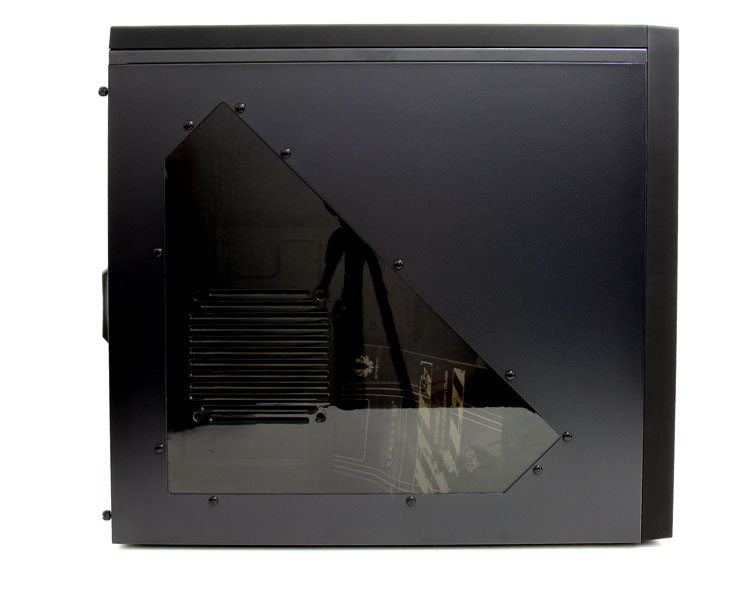
When we flip around the unit we can see the side panel a little better. Behind the panel you can install an additional fan. There are a total of 7 fan slots up to seven 120mm or two 140mm fans can be installed . Two fans have been pre-installed.

The panel can be removed be removing two thumbnails at the back and then slide it to the left a little and then pull it towards you, it is the old traditional way of chassis panel removal.  The size of the chassis by the way is is chassis is 205 x 460 x 490 mm (ATX Mid Tower) with a Net weight roughly 7 kg.
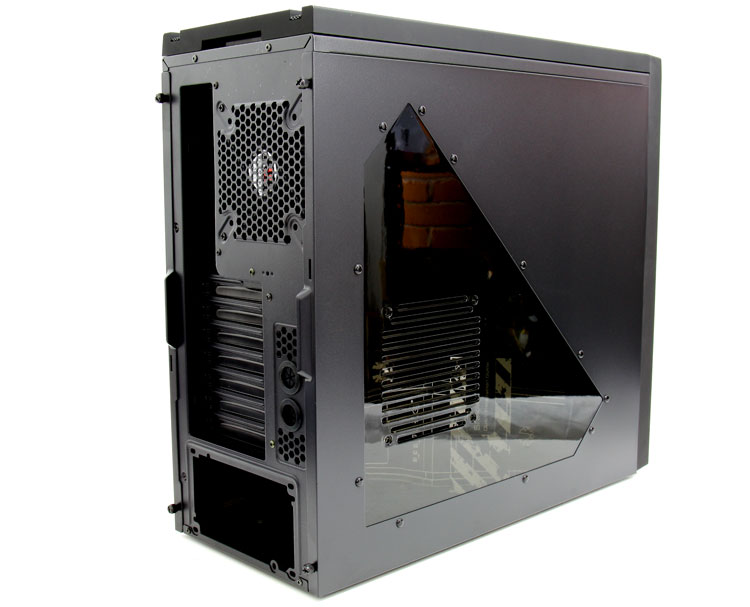
The backside then. Next to the rear IO we spot a 120mm fan. All two fans in this chassis can be PWM fan controlled. The chassis has 7 card slots and next to them we spot two grommet holes, these could be used for some sort of external liquid cooling.
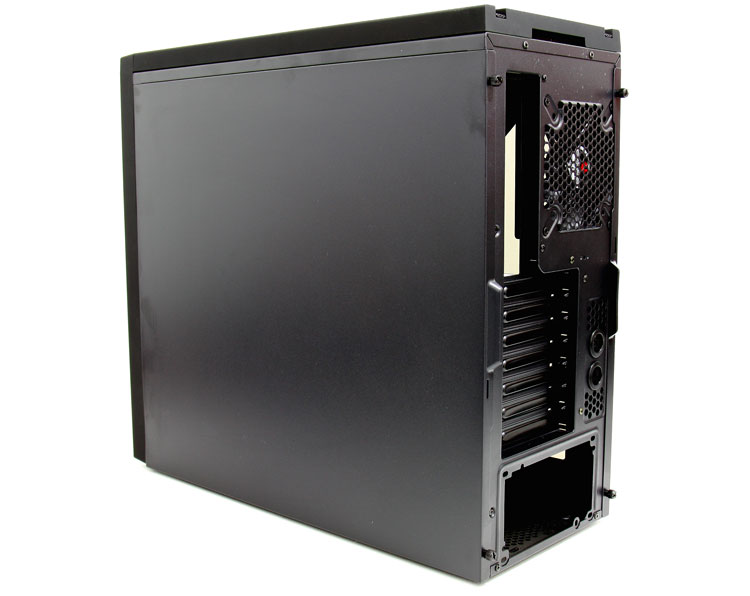
Here we can see the left side panel, with the same locking mechanism. Two thumbscrews at the rear secure it down. The matte black paintjob is very sensitive to fingerprints by the way you can see that a little already here.
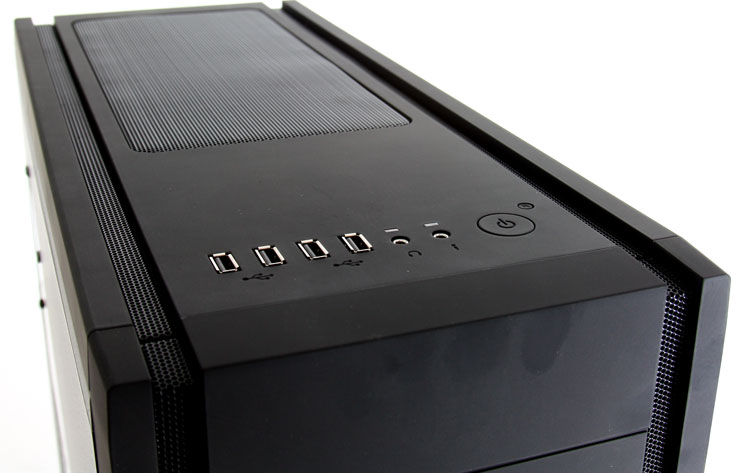
 

On top we see a very decent mesh which helps for ventilation, the Shinobi unfortunately does not have a fan pre-installed there. Obviously you can go nuts with other fans here as well as installing a LCS (liquid cooling system) radiator. A dual 120mm radiator would be able to install in there, though space wise... you might want to opt a big-tower instead of a mid tower.

Front panel connectors, You'll have plenty of them including MIC/Headphones, a good four USB 2.0, lacking is a Firewire and/or eSATA connector. A big miss is the lack of USB 3.0 connectors.

Also here we have a power on/off button and reset switch. Below the frontpanel we spot three 5.25" drive bays. The entire front panel is removable with clip on fan slots. Let's rip 'r open.


7 pages « 2 3 4 5 next »


Guru3D.com » Articles » BitFenix Shinobi Window review » Page 3

Related Articles
BitFenix Shinobi Window review
BitFenix recently released an extension to the original model, the Shinobi "Window" edition chassis. An affordable yet elegant chassis solution. Tagged with a 69 USD price tag this chassis is locked and loaded as mid-tower case with its crosshair aimed at gamers. While the regular Shinobi has a solid steel side panel and one 120mm fan, the Shinobi Window is a little more advanced and offers a tinted side window as well as an extra 120mm fan and tool-free drive locking mechanisms.

Follow Guru3D on Google+ - Facebook - YouTube - Twitter © 2013