

NVIDIA Hybrid SLI introduction
 NVIDIA officially introduced it's Hybrid technology. Witht the GF8200A we tested earlier this week, the drivers wheren't even ready but still. These new platforms are the foundation for a new breed of PCs that deliver a richer visual experience while reducing energy consumption and costs, fan noise, and even heat. The new technology is available immediately with new NVIDIA nForce 780a SLI and GeForce 8 Series based motherboards.
The visual capabilities of typical PCs are driven by either integrated graphics on the motherboard or by higher performance, discrete graphics cards. Unfortunately, the most common integrated graphics chips lack the performance and features needed by many popular modern 3D applications, games, and movies. Discrete graphics cards deliver a far superior visual experience, but consume more energy.
According to the press release, Hybrid SLI-enabled motherboards eliminate this problem by putting a GeForce GPU directly on the motherboard. This GeForce GPU has better DirectX compatibility and HD movie playback capability than the most common integrated graphics chips found in today's PCs, but consumes less energy than a discrete graphics card.
Designed for PC enthusiasts and hard-core gamers, the HybridPower feature completely powers down the discrete graphics cards and switches graphics processing to the motherboard GPU in applications where major 3D horsepower is not required, such as e-mail and Web surfing. Users will appreciate the lower energy consumption, quieter PC operation, and less heat. When additional 3D horsepower is needed, it can be manually transitioned back to discrete graphics cards using HybridPower technology, which are then powered up and ready to rock the 3D world. Hybrid SLI technology allows to save on energy costs over the life of the PC for high-end, enthusiast-class PCs, and deliver additional graphics performance for more mainstream desktops via these two features.
For mainstream users, a Hybrid SLI technology feature called GeForce Boost allows the user to add an additional graphics card for even more graphics horsepower. By combining the performance of the motherboard GPU and graphics card discrete GPUs, GeForce Boost increases overall graphics performance up to 50% for today
» Read full story
 Super Talent Technology, a leading manufacturer of Flash storage solutions and DRAM memory modules, today launched a new line of MasterDrive solid state drives (SSDs) that are 100% interchangeable with hard disk drives (HDDs), but are faster, lighter, use less power and are far more rugged and reliable.
 Creating a little hype surely brings in dough. Take-Two Interactive Software said today that Grand Theft Auto IV has surpassed all-time entertainment records for day one and week one sales by dollar value. Released on Tuesday, April 29th, Grand Theft Auto IV, the critically acclaimed video game, has sold through to consumers approximately 6 million units globally with an estimated retail value of more than $500 million in the first week. Grand Theft Auto IV sold approximately 3.6 million units on its opening day with a retail value of approximately $310 million globally.
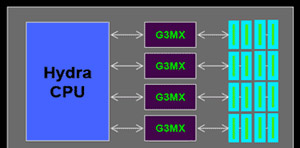 In a direct answer to Intel's Nehalem AMD is showing some teeth as well. AMD currently making the preparations for a worth-mentioning Nehalem competitor. The chip manufacturer's upcoming 45-nanometer chips in the Deneb and Propus families will undergo a significant micro-architecture redesign, also known as K10.5 Rev. D.


 New York City politicians were decidedly unhappy when they first found out Grand Theft Auto IV's Liberty City setting was a thinly veiled take on the Big Apple, but with a week to go before the game's release, the biggest gripe about the game is rising out of Chicago. The local Fox affiliate is reporting that the Chicago Transit Authority plans to pull an advertising campaign for the latest criminal action game from Rockstar Games and Take-Two Interactive.