Guru3D.com
  • HOME
  • NEWS
    • Channels
    • Archive
    • Search
    • Submit
  • DOWNLOADS
    • New Downloads
    • Categories
    • Archive
    • Search
    • Submit
  • GAME REVIEWS
  • ARTICLES
    • Editorials
    • Guru3D VGA Charts
    • Rig of the Month
    • Join ROTM
    • PC Buyers Guide
    • Dated content
    • More Categories
  • HARDWARE REVIEWS
    • Videocards
    • Processors
    • Audio
    • Motherboards
    • Memory and Flash
    • SSD Storage
    • Chassis
    • Power Supply
    • Laptop and Mobile
    • Smartphone
    • Networking
    • Keyboard Mouse
    • Cooling
    • Knowledgebase
    • Search articles
    • More Categories
  • FORUMS
  • SEARCH
    • Search Articles
    • Search News
    • Search Files
  • NEWSLETTER
  • CONTACT

New Reviews
ASUS Maximus VI Extreme Z87 motherboard review
ASUS GeForce GTX 780 DirectCU II OC review
Fractal Design Arc Midi R2 review
Corsair Vengeance K70 review
MSI GeForce GTX 770 Lightning review
EVGA GeForce GTX 770 SC review
Plextor M5M 256GB mSATA SSD review
AMD A10 6800K review
SanDisk Extreme II 120 - 240 and 480 GB SSD review
ASUS Sabertooth Z87 motherboard review

New Downloads
Media Player Classic Home Cinema v1.6.8 Download
Sandra 2013 SP4 19.50 download
MSI Afterburner 3.0.0 Beta 10 Download
AMD Catalyst 13.6 BETA 2 Download
CPU-Z 1.6.4
AIDA64 Download version 3.00
AMD Catalyst 13.6 BETA Download
PrecisionX Download Version 4.2.0
GeForce 320.18 WHQL Driver Download
AMD Catalyst Application Profile Download 13.5 CAP1


New Forum Topics
by: sajibjoarder safe voltage for i7 3930kby: rizqicandra amd catalyst stopped working (need help urgently)by: Lemonking Will the 770 work properly in my setup?by: stasio Nvidia Quadro Driver 320.27 WHQLby: J.B.west Help me choose music for my gfs restaurantby: hallryu The Guru3D Screenshot Thread - RTFM! #22 (Rules update!)by: AmiloMan Legacy Modder out for DirectX 9 and 10 Cardsby: blesner Give Away Threadby: dk_lightning PS3 Phat Blinking Red Light.by: DualCORE1 decent graphics card for phyx running eyefinity


Online Users
There are currently 2063 user(s) online:
Google, MSN, Synapzz, Yahoo


Guru3D.com » Review » HAWX (PC) VGA graphics card performance review » Page 3

HAWX (PC) VGA graphics card performance review - Image quality and screenshots

Posted by Hilbert Hagedoorn on: 03/10/2009 02:00 PM [ 0 comment(s) ]

Tweet


Image quality and screenshots

Our image quality settings are fairly complex, which you can set in-game. BTW if you like to tryout the game or would like to have a go with the benchmark. Just download the demo, available widely over the web.

The graphics engine however is fantastic, There's no need to give in to lower quality settings other then AA here and there for the lower specced mid-range graphics cards.
Tom Clancy's Hawx PC VGA performance

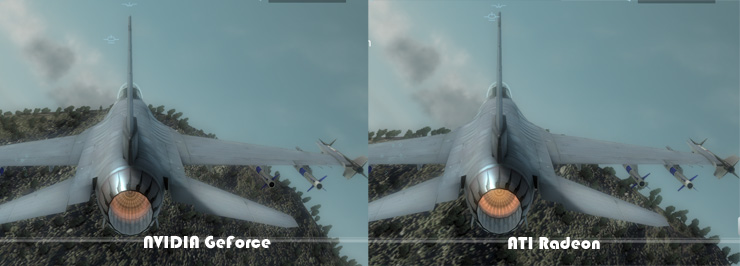
Here we see a screenshot in-between ATI and NVIDIA. Now before I even begin, do not look at the background vegetation. Since HAWX does not allow a 'still' point in time. We can't snapshot at the same frame/time interval. So for RAdeon graphcis cards the vegetation looks slightly worse, yet that's the result of the angle we fly at. Ignore please.

Your focus should be the F16. Try to look at differences texture quality, shadows, lighting. Now this is a crop from two 2560x1600 screenshots. All I can say is .. there is no visible difference among the two vendors from textures to AA to soft particles (clouds) lighting and so on.

Very nice know and see. Let's enjoy some screenshots of the game.
Tom Clancy's Hawx PC VGA performance

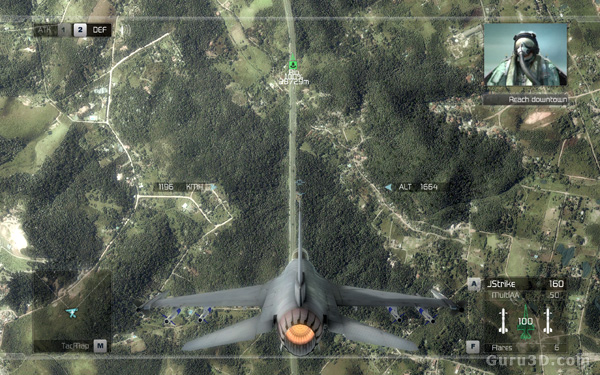
Once you startup the game for the first time, it virtually is impossible to not be impressed by the graphics quality. Amazing texture detail at low and high altitudes. In the sky we fly through dense hard on the GPU volumetric clouds.
Tom Clancy's Hawx PC VGA performance

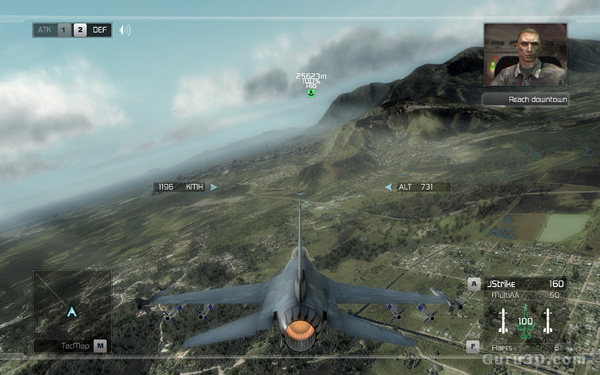
This screenshot shows the nice ambient lighting, shadows, fog and object detail. But let's have a look at the level we'll be performing our test in.
Tom Clancy's Hawx PC VGA performance

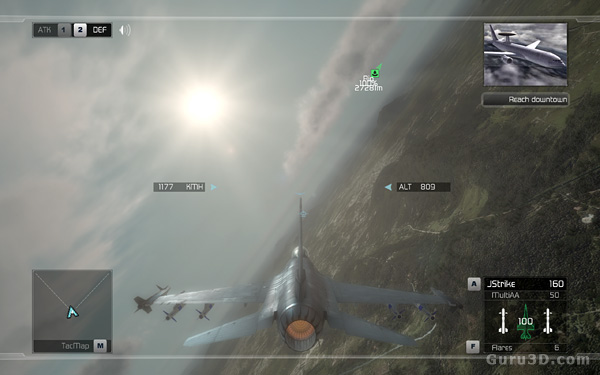
One of the nicer image quality settings you can enable is ambient occlusion. Ambient occlusion attempts to approximate the way light radiates in real life situations. Next to that things like fog that traces weaponry, realistic clouds, god-rays and HDR are fairly common in the graphics engine for sure.
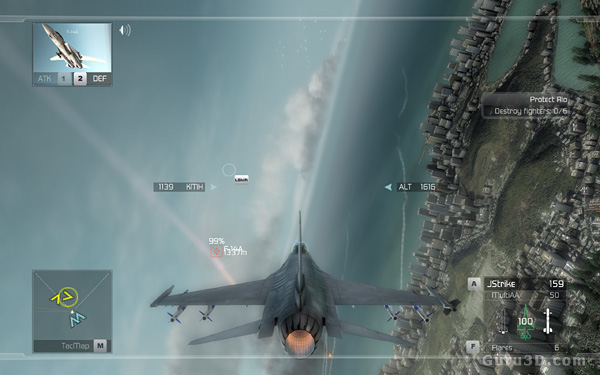
Tom Clancy's Hawx PC VGA performance

Next to great high quality textures volumetric fog, shadows and a ton of shaders, just check out the number of objects in the ground. But let's have a look at the settings we'll be performing our test in.


7 pages « 2 3 4 5 next »


Related Articles
HAWX (PC) VGA graphics card performance review
In this article we'll take a dozen of graphics cards and see how well they perform with UBISofts latest title, Tom Clancy HAWX. An amazingly looking fligh-simulator with an arcade element to it.

Follow Guru3D on Google+ - Facebook - YouTube - Twitter © 2013