Guru3D.com
  • HOME
  • NEWS
    • Channels
    • Archive
    • Search
    • Submit
  • DOWNLOADS
    • New Downloads
    • Categories
    • Archive
    • Search
    • Submit
  • GAME REVIEWS
  • ARTICLES
    • Editorials
    • Guru3D VGA Charts
    • Rig of the Month
    • Join ROTM
    • PC Buyers Guide
    • Dated content
    • More Categories
  • HARDWARE REVIEWS
    • Videocards
    • Processors
    • Audio
    • Motherboards
    • Memory and Flash
    • SSD Storage
    • Chassis
    • Power Supply
    • Laptop and Mobile
    • Smartphone
    • Networking
    • Keyboard Mouse
    • Cooling
    • Knowledgebase
    • Search articles
    • More Categories
  • FORUMS
  • SEARCH
    • Search Articles
    • Search News
    • Search Files
  • NEWSLETTER
  • CONTACT

New Reviews
MSI Radeon HD 7790 TurboDuo OC review
Metro Last Light VGA Graphics Benchmark performance test
Noctua NH-U12S and NH-U14S review
ASUS GeForce GTX 670 DirectCU Mini review
OCZ Vertex 3.20 SSD review
Cooler Master Eisberg 240L Prestige review
Guru3D and OCZ Contest - PC Power 1200W PSU Giveaway
MSI GeForce GTX 650 Ti BOOST OC review
ASUS ROG ORION PRO Gaming Headset Review
Guru3D Rig of the Month - April 2013

New Downloads
GPU-Z Download 0.7.1
HWiNFO32 4.18 Download
HWiNFO64 4.18 Download
GeForce 320.14 BETA Driver Download
Nvidia Lifelike Human Face Rendering Tech Demo Download
3DMark Download v1.1.0
XBMC Media Center Download 12.0 2
RTSS Rivatuner Statistics Server Download v5.1.1
AS SSD Benchmark Download v1.7.4739.38088
AMD Catalyst Application Profile Download 13.4 CAP1


New Forum Topics
by: Hilbert Hagedoorn Metal Gear Rising: Revengeance PC Port Confirmedby: andrey6131 Help with OC Q9650by: Noisiv Nvidia GeForce 320.14 BETA - Download and Discussionby: The Ninja Kid Another: Should I upgrade or build newby: Penal Stingray Wii U is Sweet!by: greg1993 GTX 660 sucks?by: killer_939 Considering going water, need advice :)by: Stoja AMD Catalyst 13.5 beta 3 Mobility Driverby: TwoPlusTwo 3DMark 11 Graphics Score Has Plummetedby: UnrealGaming Metal Gear Solid: Rising


Online Users
There are currently 1708 user(s) online:
Agonist, Google, MSN, Yahoo


Guru3D.com » Review » AquaMark 3 - Preview » Page 10

AquaMark 3 - Preview

Posted by Hilbert Hagedoorn on: 09/12/2003 06:00 AM [ 0 comment(s) ]

Page 10 - Image Quality
Tweet

Image Quality
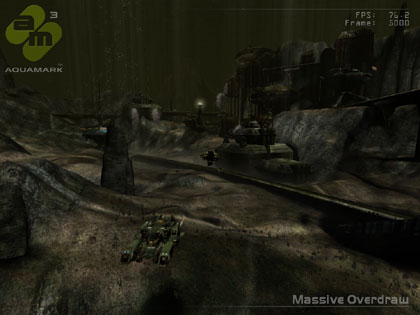
A small addition to this article are a series of image quality tests as a lot of you simply like compare and see the differences between Radeon Directx 9 and GeForce FX Directx 9 graphics cards. IQ test are very personal so I'm not commenting on what I think is better. I do want to make a few side-notes though. The images will differ slightly when it comes to lighting. You can capture a screenshot at a specific interval a hundred times but it'll never be 100% the same. The acptures as you se them are close to each other though, very close.

So here's what we did and what you need to do. First, if you are on broadband, congratulations ! Are you on-dialup ? Go to the next page now. The images you can use for comparison have been saved as .PNG file to ensure maximum picture quality versus compression. This means that each image will be 800 to 1000 KB in size ! That's right, 1024x768x32 1MB images and there are six of them.

Once you download them you should get some software like ACDSee. With your '+' and '-' keys you can zoomin and with 'Page Up'  and 'Page Down' quickly switch between the images instantly and check out the difference precisely.

Each image was taken at frame 5000 of the benchmark, each image is 1024x768x32. We captured them in the order as show in the table below, you can click on the link to download the image.
Copyright 2003 - Guru3D.com

GeForce FX 5900 Ultra
Detonator 51.75
Radeon 9700 Pro
Catalyst 3.7
No AA - No AF No AA - No AF
No AA - 4x AF No AA - 4x AF
4x AA - 8x AF 4x AA - 8x AF

AA= Anti aliasing* - AF is Anisotropic Filtering**
 

* -Full Scene Anti Aliasing (FSAA) - Full-Scene anti-aliasing (FSAA) is a sampling technique that creates more detailed and realistic looking images, by removing the stair stepping effect seen on the edges of objects within computer generated images. High quality anti-aliased graphics are achieved with sub-pixel edge detection and color compression for greatly improved performance.

** - Anisotropic Filtering - Anisotropic filtering enhances overall 3D quality by rendering sharp, detailed textures. As more texture samples are filtered, the image quality improves. Without Anisotropic Filtering, objects and environments in the 3D world will appear blurry and fuzzy, effectively degrading the level of realism.

Anisotropic filtering improves image quality by sampling textures more frequently. This is particularly important for objects rotated at sharp angles relative to the viewpoint. For example, textured flat ground in the distance and scenes with rotating 3D objects in the foreground will both benefit from anisotropic filtering, and are typically found in today’s gaming content.


11 pages « < 8 9 10 11


Guru3D.com » Articles » AquaMark 3 - Preview » Page 10

Related Articles
AquaMark 3 - Preview
In the past we have used AquaMark 2.3 in our benchmark suite and although still a reputable application Massive figured it was time for the next best thing. This is AquaMark 3, a benchmark that will utilize some of the finest DirectX 9 capabilities like Pixel and Vertex Shaders 2.0

Follow Guru3D on Google+ - Facebook - YouTube - Twitter © 2013